Customize iPhone Home Screen Display / Live Activities
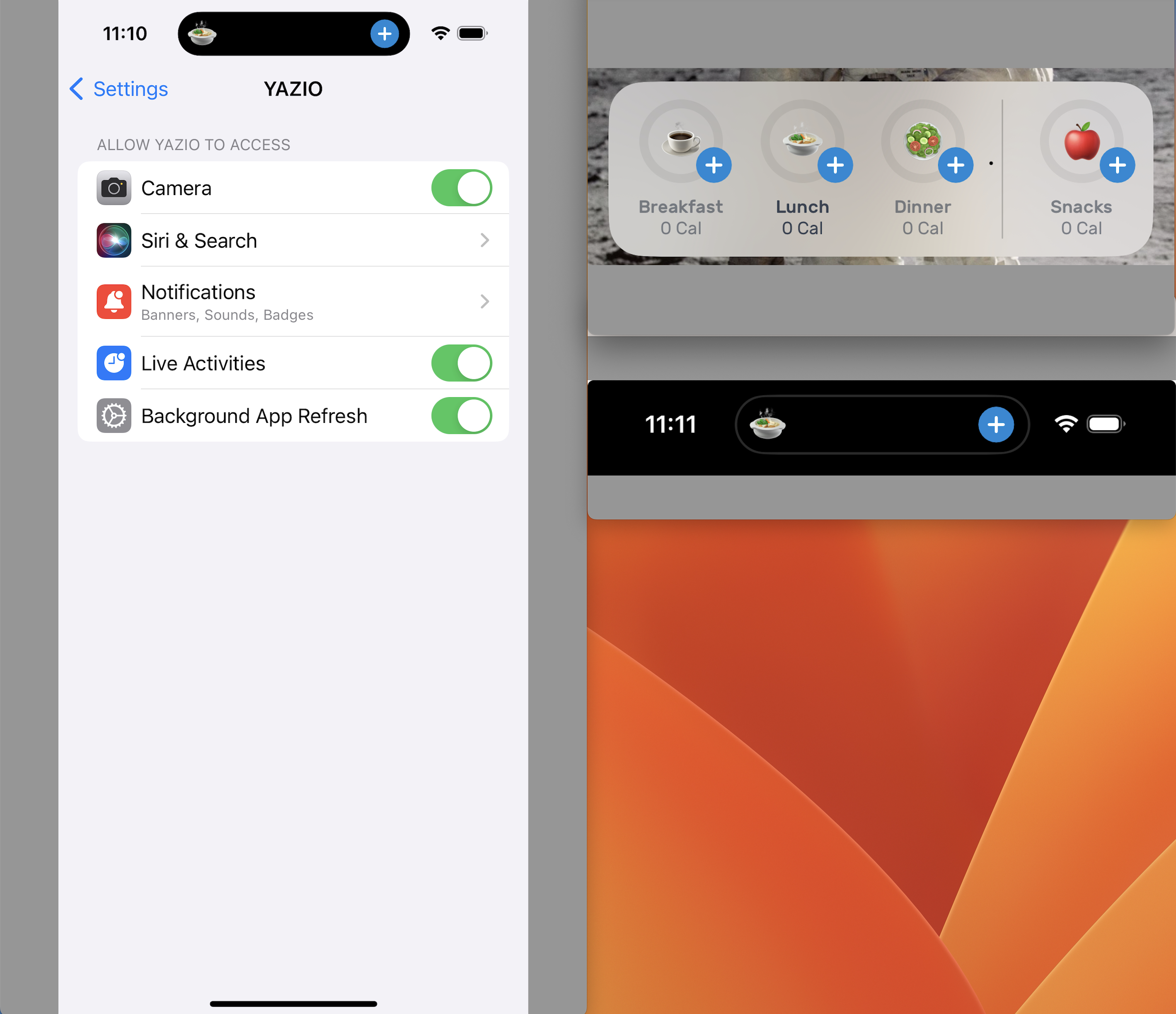
When "Live Activities" are enabled within Apple's Settings / YAZIO (at the very bottom), two things become available:
1) Your iPhone Home Screen has 4 quick short cuts for adding food to Breakfast, Lunch, Dinner and Snack.
2) While using your iPhone, the black bar around the camera has a constant short cut that when tapped opens YAZIO for you to add to that current meal (based on time of day I presume), and when held offers the same options that appear on the Home Screen.
Request #1:
I’d like the option to customize what is shown on the Home Screen of my iPhone for the YAZIO app. Currently it just shows adding to breakfast, lunch, dinner, and snack. I really would like to have adding water here. It could be a combination of add water, add food, total calories, total steps, open diary, or some customizable combination like that.
Request #2:
I would like to turn off the item around the camera while keeping the Home Screen shortcuts in place. It interferes with other apps.
Comments: 1
Oldest
•
Newest
•
Most likes
•
Fewest likes
-
12 Jun, '24
DanielYes please! Also it would be great to just be able to turn off the lock screen widget and dynamic island shortcut all together.
I'm disciplined enough to track my meals, I don't need it to take up that much screen real estate when other apps could use the space in more useful way.
I wouldn't mind if it defaults to on and opt-out to turn off. It's a good feature for a lot of people but for some like me it's unnecessary. So please allow a toggle to turn off the dynamic island shortcut and the lock screen widget.